
One of my customers recently ordered several new notebooks and wanted to provision them using OSDCloud. Without any initial preparation, he simply powered on the devices, triggered PXE boot, received the WinPE image from the WDS server, and the OSD process started automatically – as expected.
Everything looked fine… until it wasn’t.

What Happens After WinPE
After the WinPE phase, the device restarts and enters the Autopilot specialize phase. During this stage, Windows needs to perform several critical cloud-based operations:
- Connect to the tenant using the Autopilot registration certificate
- Collect and upload the hardware hash to the Autopilot service
- Retrieve and assign the appropriate Autopilot profile
This entire workflow depends heavily on one thing:
➡️ A correct system time
When BIOS Time Breaks Autopilot
If the BIOS time is wrong – even by a few minutes – all Autopilot and Microsoft cloud operations fail. This includes:
- Autopilot registration
- Graph API calls
- Intune enrollment steps
- Any certificate-based authentication
This problem becomes especially common after a mainboard replacement. The CMOS resets, the BIOS time falls back to factory defaults, and suddenly Autopilot is “mysteriously” broken.
This is not a convenience issue.
This is a cryptographic requirement. Certificates, token issuance, TLS, and Microsoft Graph all depend on accurate time. If the timestamp is off, the device simply can’t establish trust.
A Simple Fix: Sync Time Before Autopilot Starts
To avoid these issues entirely, I’ve created a script that automatically:
✔️ Checks and sets the system date
✔️ Corrects time drift
✔️ Automatically sets the time zone
You can find it here:
👉 https://timesync.osdcloud.ch
This script can run in any phase of OSD, including:
- WinPE phase (recommended)
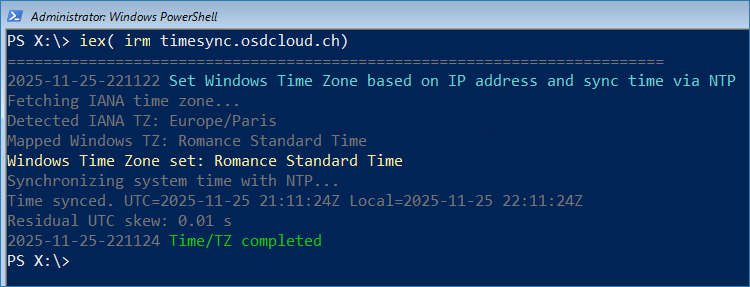
- Right before automated Autopilot registration

- OOBE phase
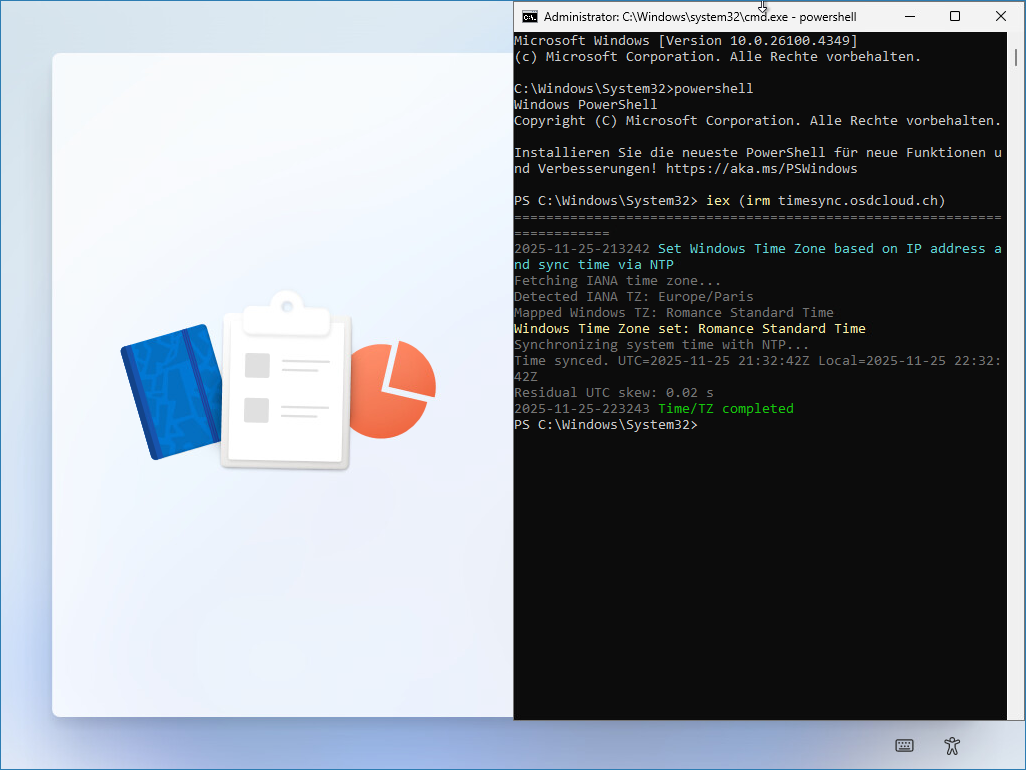
If you use my automated Autopilot registration workflow, you can extend your existing deployment script to sync the time before Autopilot processing begins.
Check the details in my previous post 👉 Mastering Autopilot Automation in OSDCloud Deployments
Automatic Time Zone Detection
For time zone handling, I’m using the excellent script from my colleague Florian – highly recommended:
👉 https://scloud.work/automatically-set-the-time-zone-in-intune-autopilot/
Why You Should Always Sync Time in OSD
OSDCloud makes deployments extremely flexible and automated. But without correct time, the automation chain breaks at the worst possible moment – right when the device needs to talk to Graph API.